- Step 5 - Teachers
- This is the most important step and the one that causes the greatest number of doubts and registration errors. You must inform which the teachers are, which subjects they teach and their respective availabilities.
- See the Step 5 options:

- * A school timetable has a solution if there is a minimum number of teacher-hours sufficient to meet the demand registered in Step 4 (Class Groups and Curriculum Grid). As long as the P button is being shown, it is certain that the solution is not possible.
- Each teacher, just like the class groups, can optionally have an available-hours restriction. Each teacher has their own table of the week, which was created in Step 2, where you can enable, disable or mark each time slot of the availability as undesirable.
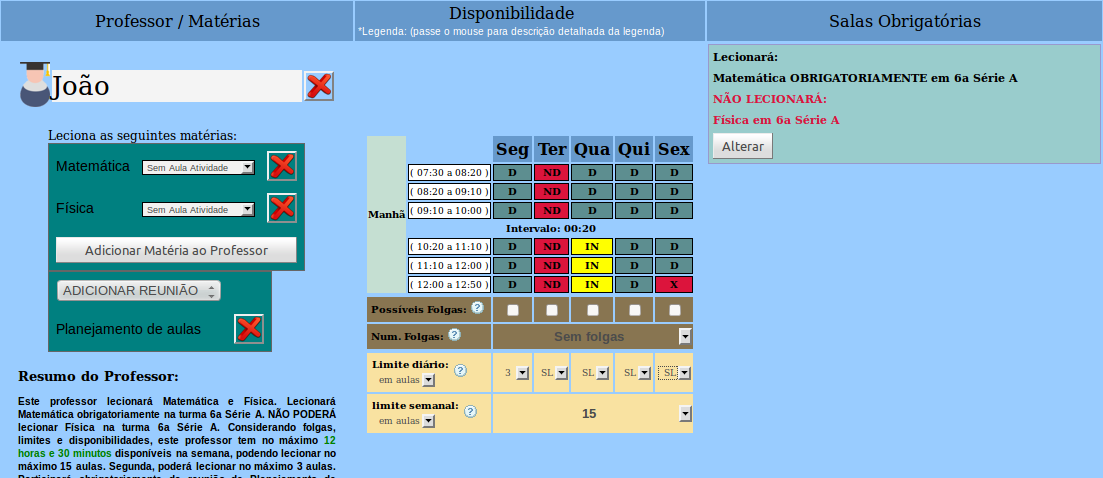
- See an example: Teacher José, who teaches Mathematics and Physics, CANNOT teach on Tuesday, PREFERS not to teach on Wednesday in the last 3 time slots, teaches at most 15 lessons per week, and on Monday can teach at most 3 lessons. Has no days off registered. Teaches Mathematics MANDATORILY in 6th Grade A and CANNOT teach Physics in 6th Grade A. He WILL BE ABLE to teach Physics and Mathematics in any other class group that needs it. Will take part in the weekly meeting called "Lesson Planning".
- Availabilities and Days Off
- In Horário Fácil the teacher's availability can be marked in 2 ways, and combined: By blocking the time slots of the week and/or by setting movable / fixed days off.
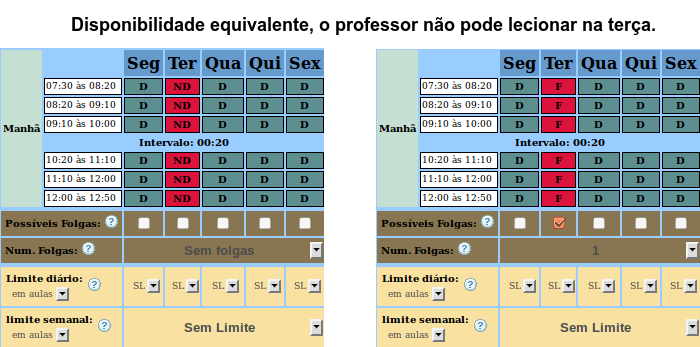
- If the teacher cannot teach on Tuesday, you can mark this day off in 2 different ways. See an example:
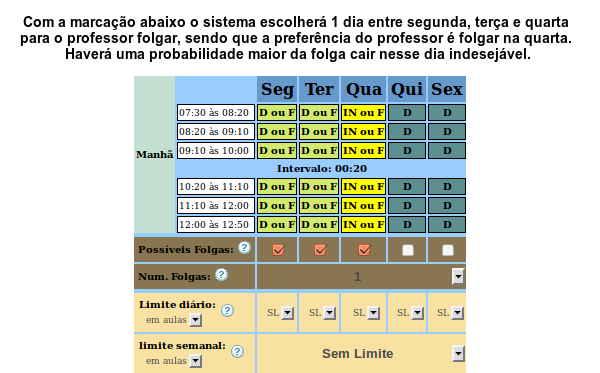
- If the teacher must have 1 day off, but not on a specific day, you must use days off to mark this availability. See below:
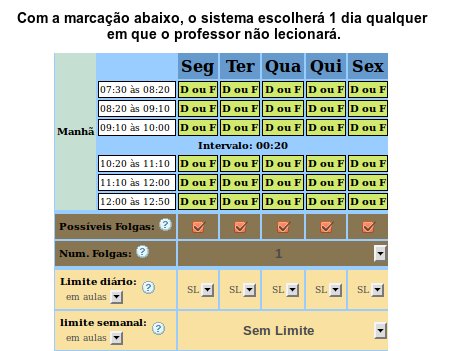
- We call them movable days off when the teacher must take at least 1 day off, but that day is not fixed. Using movable days off is less restrictive than marking the time slots in red (NA), because Horário Fácil will have a greater ability to manage the lessons, avoiding blocking the other teachers and consequently increasing the probability of a solution. However, with movable days off, the calculation of suggestions becomes much more complex and a case may arise in which the system cannot give a good suggestion for improving the timetable. Consequently, we recommend using movable days off after having obtained at least 1 feasible solution and having analyzed the system's suggestions.
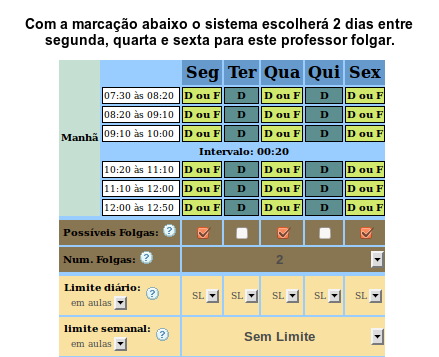
- See other combinations:
- COMMON MISTAKES WHEN REGISTERING A TEACHER
- See the example below:
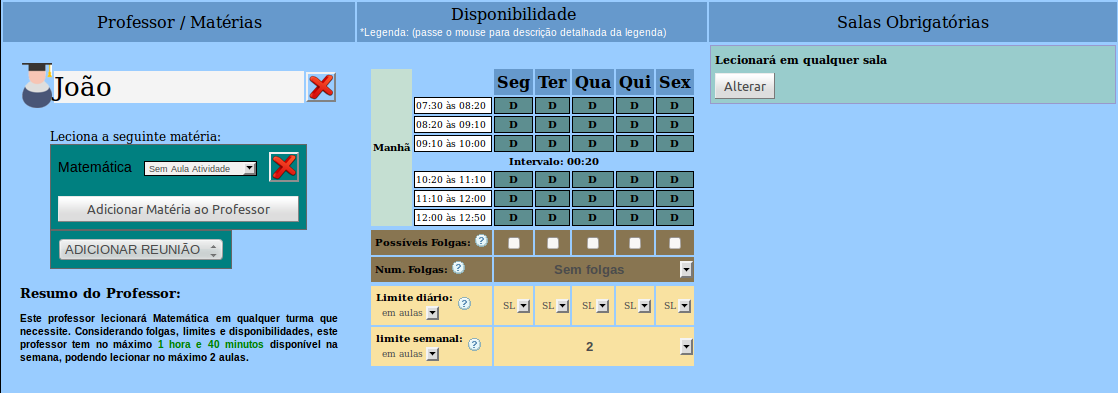
- NOT RECOMMENDED PROCEDURES
- See the example below:
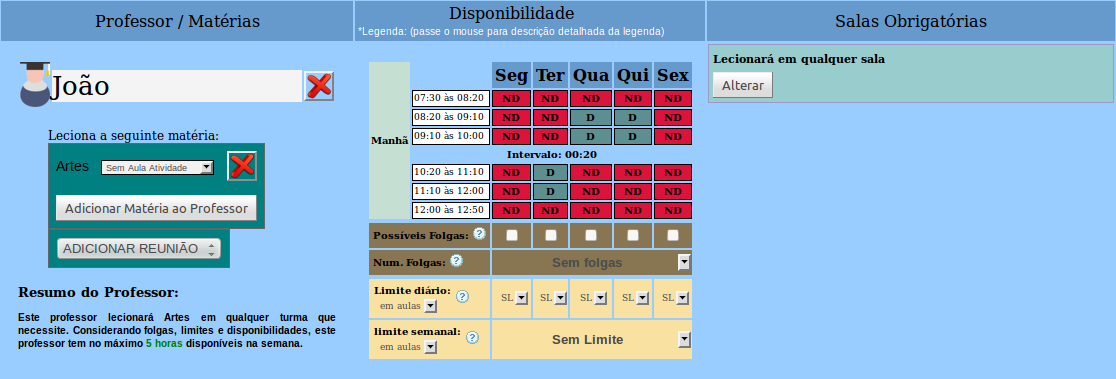
- Do not try to make the teacher's schedule consecutive by closing all of their availabilities. Only mark in red the days / time slots that the teacher really cannot teach. By registering availability as shown above, you may harm the schedule of the other teachers, because Horário Fácil will be forced to allocate this teacher's subjects in those time slots, leaving few alternatives for the other teachers.
Doing a similar procedure for all teachers will make the possibility of a solution remote, due to the very few options for managing the allocation of lessons.
Instead, mark in red only the days the teacher really cannot teach and let Horário Fácil make the lessons consecutive and minimize the teachers' days automatically.