
- Etapa 4 - Salas e grade horária
- Nesta etapa deve-se informar quais são as salas e a grade horária curricular de cada uma delas.
- Veja as opções da Etapa 4:

- Cada sala pode opcionalmente ter uma restrição de horário de funcionamento. Para isso cada sala possui uma tabela da semana que você criou na etapa 2, onde você pode habilitar / desabilitar o funcionamento da sala.
- Utilize esta opção caso você esteja por exemplo montando um horário do ensino médio e fundamental com professores compartilhados entre os ensinos, onde o ensino médio tem 6 aulas por dia e o ensino fundamental tem 5 aulas por dia.
- Veja um exemplo: "Sala: 1o. Ano Médio" sem restrições de funcionamento e Sala 5a. Série A que não funciona no último horário de todos os dias.
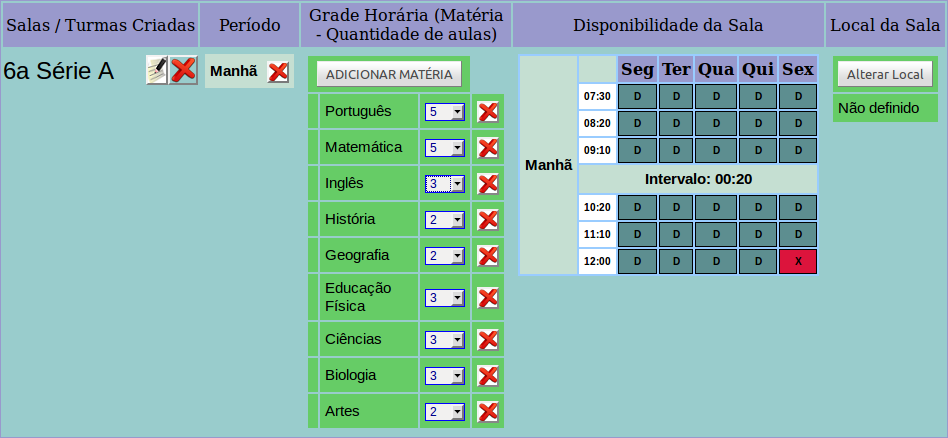
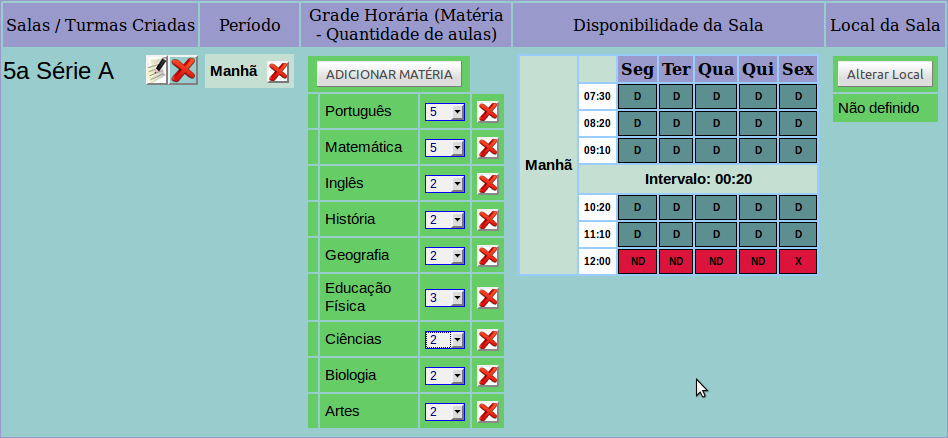
- Exemplo com união de aulas: Salas "5a. Série A" e "6a. Série A" fazem a Educação Física juntas.
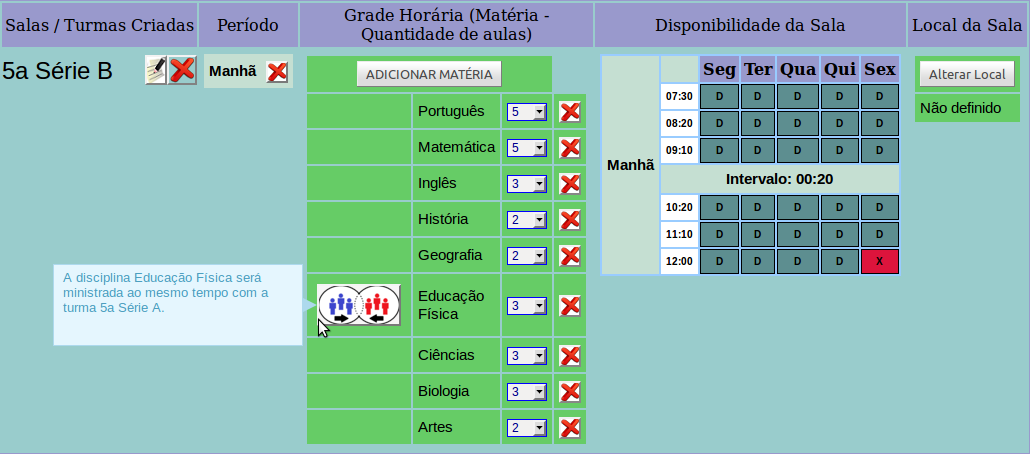
- Uma união de aula só pode ser criada entre salas que possuem a mesma matéria e quantidade como grade horária semanal.